Init Command
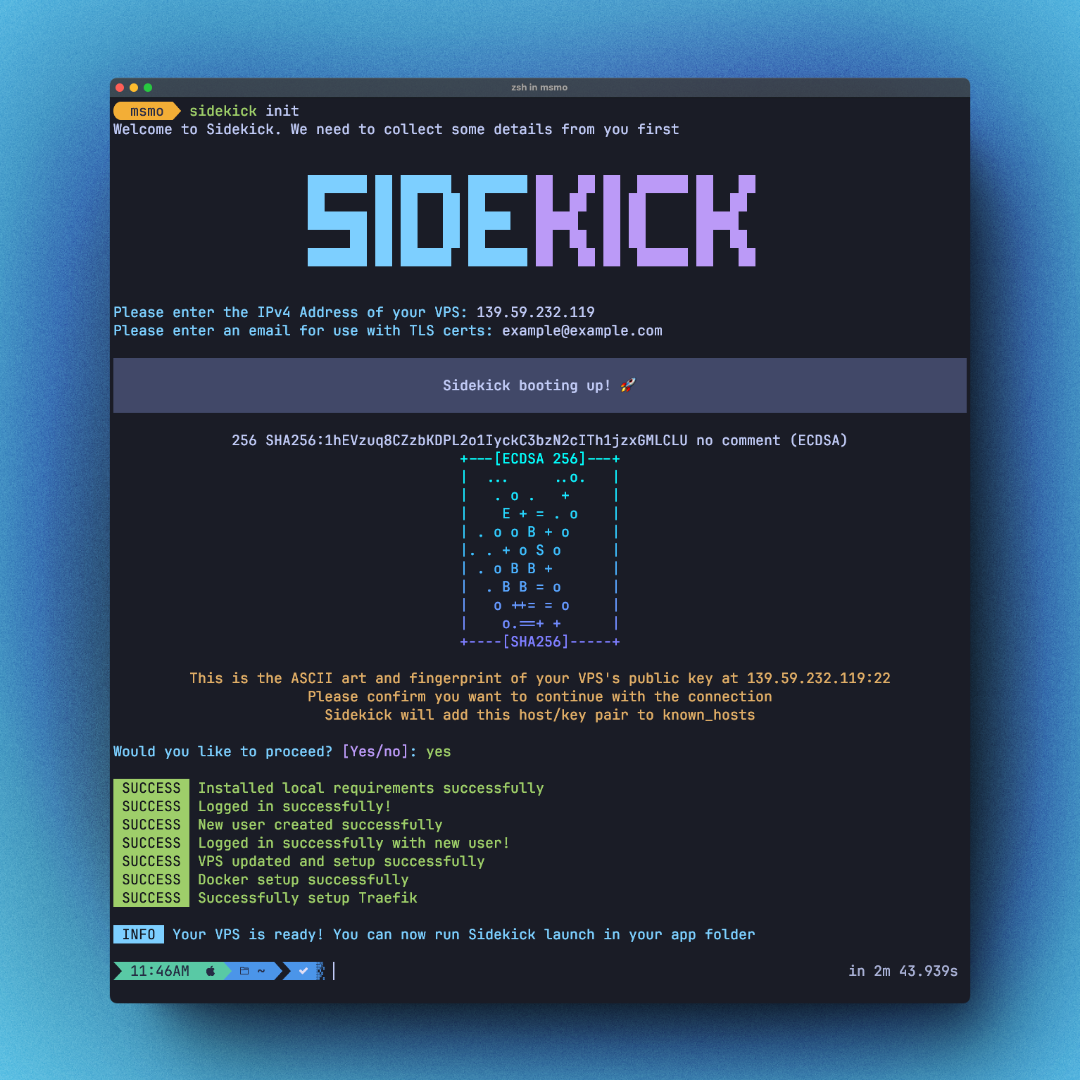
sidekick initThis command is meant to setup your VPS and prepare it for hosting your applications. This command will run multiple commands on the VPS following best practices.
Once this command is done your VPS will have the following installed:
- Docker
- Sops
- Age
- Traefik
- Curl
- Vim
Input
When running this command you will be prompted to enter two values:
- IP address of your VPS.
- An email address to use for auto TLS certs.
After this you will be shown the randomart and fingerprint of your VPS’s public key. This is a crucial step in the authentication process. Once approved Sidekick will add the Address/public key pair to known_hosts on your system. This will allow you and Sidekick to login faster using SSH to your server.
The full list of bash commands that will run can be viewed on Github.
If you run this command once more and enter a different IP Address, Sidekick will warn you that you are overriding the current config with a prompt. You can also skip that prompt by passing -y flag.
So for short quick use, you can do this:
sidekick init -s=<ip_address> -e=<email_address> -yWhich SSH key will Sidekick use to login?
Sidekick will look up the default keys in your default .ssh directory in the following order:
- id_rsa.pub
- id_ecdsa.pub
- id_ed25519.pub
Sidekick will also get all keys from the ssh-agent and try them as well. If you want to use a custom key and not a default one, you would need to add the to your agent first by running ssh-add KEY_FILE
Flags
--serveror-s- provides the server ip address--emailor-e- provides the email address for TLS certs--yesor-y- override the confirmation prompts when trying to setup a new server when an old server is already setup
Gotchas
- Sidekick will use
rootuser by default to SSH into your VPS for the first time. - Sidekick will disable
rootSSH login during this command. You can re-login usingsidekick@iplater if you want.
What does Sidekick do when I run this?
- Check if
brewis installed and if not will throw an error - Install
sopslocally on your machine for use later - Login with
rootuser - Make a new user
sidekickand grant sudo access - Logout from
rootand login withsidekick - Disable login with
rootuser - security best practice - Update and upgrade your Ubuntu system
- Install
sops&ageon your server. - Use
ageto make secret and public keys to use later. - Send public key back to your host machine to be used later for encryption
- Install Docker
- Add
sidekickuser to docker group - Setup Traefik and TSL certs on your VPS
During this setup Sidekick will clone this repo to your VPS.
Changelog
- V0.6.4 - Added a new step to check if
brewis present and installsopslocally. - V0.6.1 - Added default ssh keys use.
- V0.6.1 - Added flags to skip input step.
- V0.6.0 - Added host key validation prompt with randomart and key fingerprint.
- V0.6.0 - Moved away from using a docker registry to host images.